Social & ads (9:16)
Talking-to-camera creator shot
A friendly presenter frame for a voice-over or lip-sync line.
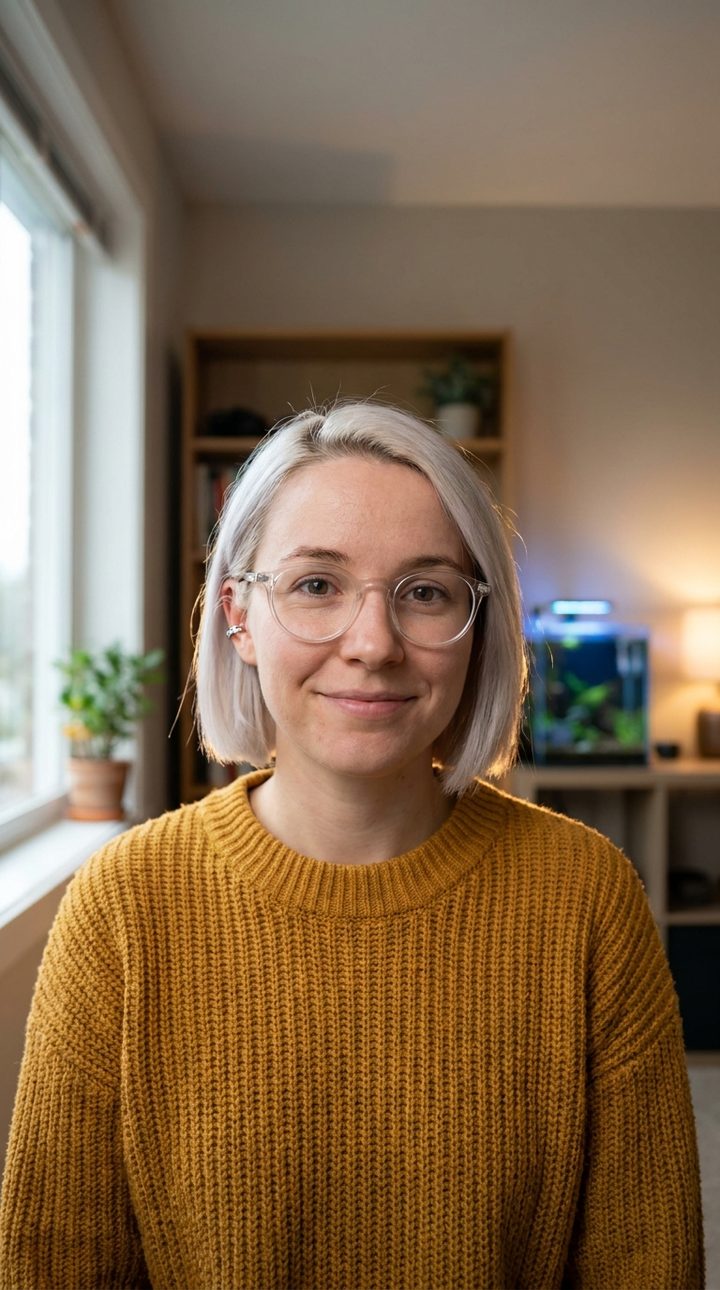
The prompt
Image (Flow, Image, Nano Banana 2.1 or Pro, 9:16 (attach your character's face as Image 1)):
Image 1 gives ONLY [Name]'s face; keep it exactly. Vertical medium-close shot, 35mm lens, eye level. [Name] sits at a tidy desk facing the camera with a warm natural smile, soft window light from the left, a plant and a shelf softly blurred behind. Photographic still from a live-action film, warm sand and rust colours with deep blue shadows, natural skin texture, shot on a digital cinema camera, subtle 35mm film grain, restrained natural colour grade, vertical 9:16. No text, no letters, no captions, no watermark.

Video (Flow, Video, Frames, Veo 3.1 Lite for drafts or Veo 3.1 Fast for the final, 9:16, 8 s, start frame = the still above):
Single continuous shot, static camera. [Name] looks into the lens and says: "[One line, 12 words or fewer.]" then smiles and holds still for the last second. Ambient noise: a quiet room. Keep the start frame's face exactly. No music. Single continuous shot, no cuts. (no subtitles) Clean frame with no on-screen text.
What to swap for your story
- the line -> 12 words or fewer per clip
- desk -> a kitchen counter, a workshop bench
Last updated 2026-10-29. Tested in Google Flow.
Want the full method?
This prompt is one step. The course shows how to plan the shot, keep your character the same and cut it into a finished film.